

Around the globe, PayPal is one of the most popular ways to pay online. 11% of all e-commerce traffic comes from Amazon. It’s only natural that many ask: Can You Use PayPal on Amazon?
The short answer is that it doesn’t happen directly. You cannot pay with PayPal like you can with your credit card or debit card on Amazon. Just because it’s down doesn’t stop you from using PayPal completely. You can shop on Amazon using your PayPal funds by using some workarounds.
In this guide, we explain why Amazon won’t let you add PayPal, show you how to do it and tell you if it is worthwhile.
Table of Contents
#1: Why Doesn’t Amazon Accept PayPal?
There are a number of factors that explain why PayPal payments aren’t supported by Amazon directly.
In the first place, Amazon itself has launched its own digital wallet named Amazon Pay. Paying with PayPal while shopping would support a competitor. The way Amazon designs its content is designed to make users stay within the company’s universe.
Second, PayPal used to be acquired by eBay, a top competitor of Amazon. Despite the parting of eBay and PayPal, Amazon’s views are still affected by that old rivalry.
Also, if you use PayPal, you might face difficulties with repaying customers, following buyer protection rules and charging transaction fees. The company likes to process the payments all by itself.
Therefore, while focusing on convenience for customers isn’t a main goal, it works well for business reasons.
#2: Can You Use PayPal on Amazon Indirectly?
Yes, it’s possible to transfer your account. There are limited steps you can use to buy things on Amazon by using PayPal. You may have to add some extra actions, but they’re reliable if you do them correctly.
1. Use a PayPal Cash Card or PayPal Prepaid Mastercard
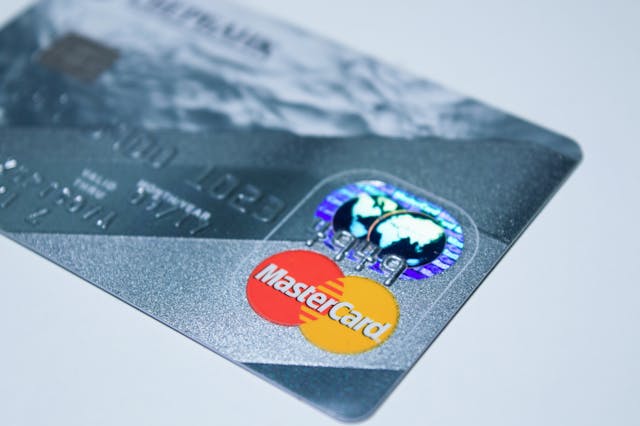
Adding a PayPal Cash Card or a PayPal Prepaid Mastercard to Amazon works exactly the same as using a debit card.
Customers can pay using Mastercard, Visa and other leading credit and debit cards on Amazon. PayPal Cash Card, thanks to Mastercard, is able to function like any other bank card you might use. You can use Amazon, get refunds and see your balance on your PayPal account.
You are required to verify your account and apply to receive a PayPal Cash Card. After getting your Amazon gift card email, enter the card details where it says to enter payment information.
2. Use PayPal to Buy Amazon Gift Cards

This is one of the easiest and most popular methods. Several online retailers and gift card platforms allow you to buy Amazon gift cards using PayPal. Once purchased, you can redeem the gift card in your Amazon account and start shopping.
Websites like eGifter, Gyft, and even PayPal’s own digital gift card store offer Amazon gift cards as a payment option. Make sure the platform you choose is legitimate and secure.
This method works well for one-time purchases or sending Amazon credit to someone else. Just be aware that some platforms may charge small service fees.
3. Use PayPal Key (Discontinued but Previously Effective)
Previously, PayPal had a service called PayPal Key that generated a virtual card number linked to your PayPal account. Users could add that number to Amazon and pay indirectly using PayPal funds.
However, PayPal discontinued PayPal Key in April 2022, so this option is no longer available.
If a similar virtual card option is introduced in the future, it could offer a direct workaround again.
4. Transfer PayPal Funds to a Bank Account Linked to Amazon
Another method is to withdraw your PayPal funds to your linked bank account and use that account to shop on Amazon. This is less immediate than using a gift card or prepaid card, but it’s still effective.
Here’s how it works:
First, transfer your PayPal balance to your bank account. Once the funds arrive (usually within 1–3 business days), you can then pay using a debit card or bank account connected to your Amazon profile.
Although it’s an extra step, it’s a viable way to turn PayPal funds into Amazon purchasing power.
5. Use a Virtual Card That Supports PayPal Balance
Some fintech services offer virtual cards that are funded through your PayPal balance. If you can find a service that works in your country and integrates smoothly, you can then use that card to shop on Amazon.
This method is less common and more complicated, but for experienced users or those in countries with strong fintech support, it’s a clever workaround.
#3: Is It Safe to Use PayPal Workarounds on Amazon?
Yes, the methods described above are generally safe and legal. Using gift cards or a PayPal Mastercard doesn’t violate Amazon’s terms of service. You’re simply using supported payment options funded through PayPal.
However, it’s important to avoid shady third-party services or unknown sellers offering questionable PayPal-to-Amazon exchanges. Stick to trusted platforms when purchasing gift cards or applying for prepaid cards.
#4: Pros of Using PayPal for Amazon (Indirectly)
Even though Amazon doesn’t directly accept PayPal, using your PayPal funds can still have its advantages.
You can use your PayPal balance without needing a credit card. If you receive payments through PayPal regularly (freelancers, business owners, etc.), this lets you spend that money easily. Using PayPal Cash Cards or gift cards keeps your bank info private and offers an extra layer of security. You also benefit from PayPal’s fraud protection, especially when using official PayPal-linked cards or platforms.
#5: Cons of Using PayPal on Amazon
There are still a few downsides. These workarounds add extra steps to your buying process. You may have to apply for a card, wait for funds to transfer, or purchase gift cards through another website.
Not all gift card sites accept PayPal for Amazon cards, especially in certain countries. You might also encounter small processing fees. And if you need to make a return, it may take longer for your refund to process through a PayPal-linked card or bank account.
#6: Alternatives to PayPal for Shopping on Amazon
If you’re looking for smooth, straightforward payment options on Amazon, consider the following:
You can use credit cards from major providers like Visa, Mastercard, American Express, or RuPay. Amazon also accepts debit cards and net banking in certain regions. Amazon Pay is available in many countries and allows fast checkout and cashback offers.
In India and other markets, UPI and local wallets like Paytm or PhonePe may also be accepted. You can also use Amazon gift cards purchased through traditional means.
#7: Will Amazon Accept PayPal in the Future?
There’s no official announcement from Amazon or PayPal suggesting that direct PayPal payments will be supported anytime soon. Given the competition between their payment systems, it’s unlikely in the near term.
That said, if customer demand continues to grow and partnerships evolve, there could be a chance in the long run. For now, users will have to rely on indirect methods.
Final Thoughts
So, can you use PayPal on Amazon? Not directly — but yes, through clever alternatives. If you have a PayPal balance and want to shop on Amazon, using a PayPal Mastercard or buying Amazon gift cards are the most reliable routes.
Although it adds a few steps to your shopping process, the flexibility of these options still makes PayPal a valuable tool — especially if you earn money online or prefer not to use your credit card directly.
To get more information visit our blog.